
The whole page. One clean image.
Capture a full scrolling web page, or just what's on screen, mark it up, and paste it straight into Claude or any other AI chat, doc or email.
Add to Chrome, it's freeWorks in Google Chrome and other Chromium browsers.
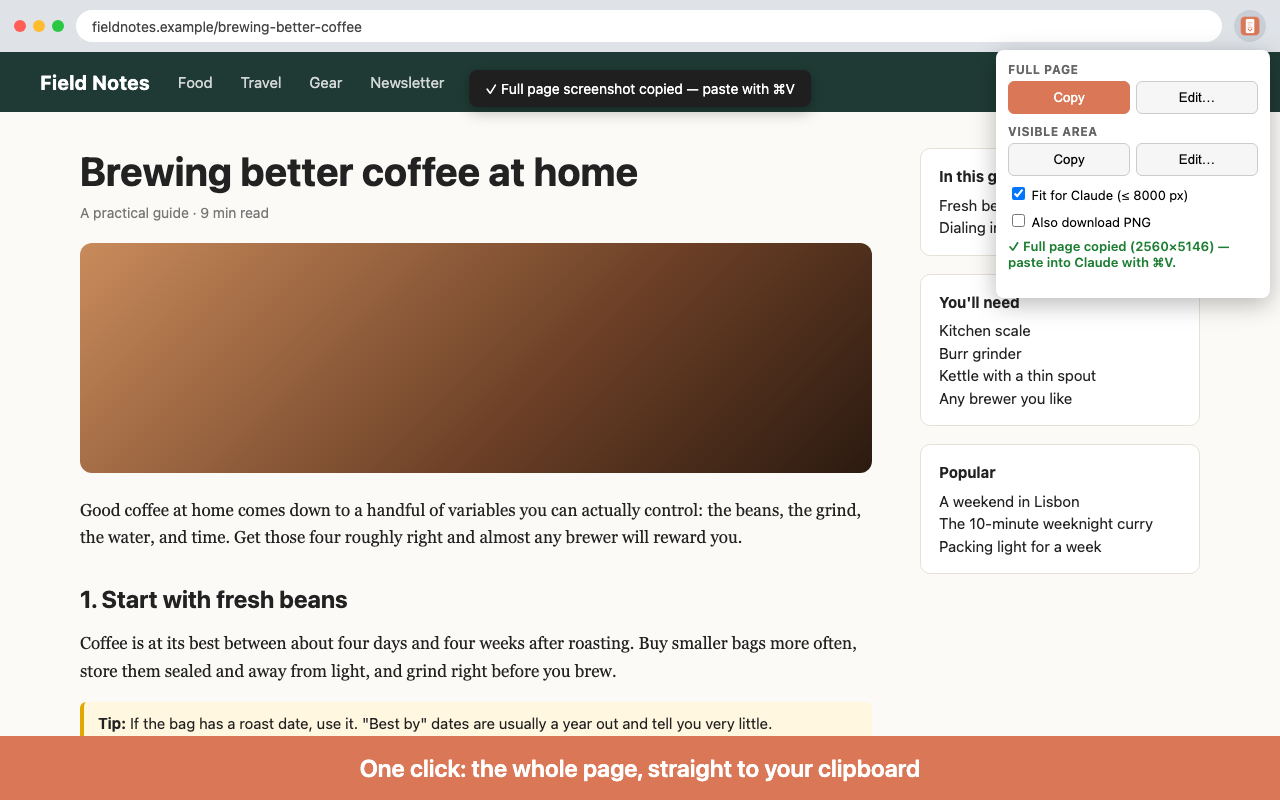
Full page, automatically
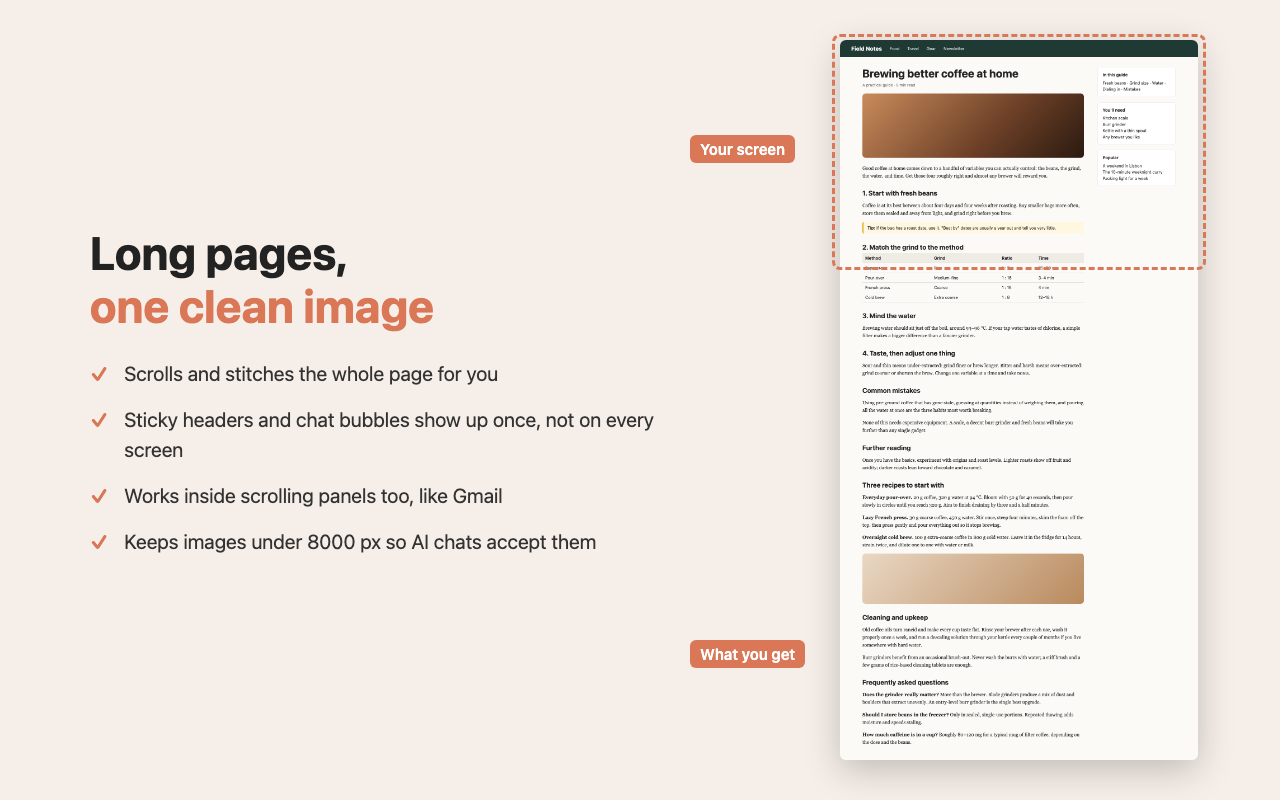
Long pages are scrolled and stitched into one image, including pages that scroll inside a panel, like Gmail.
No repeated headers
Sticky headers, cookie bars and chat bubbles are hidden as it scrolls, so they appear once, not on every screen.
One-click copy
The capture lands on your clipboard, ready to paste. Or open the editor first.
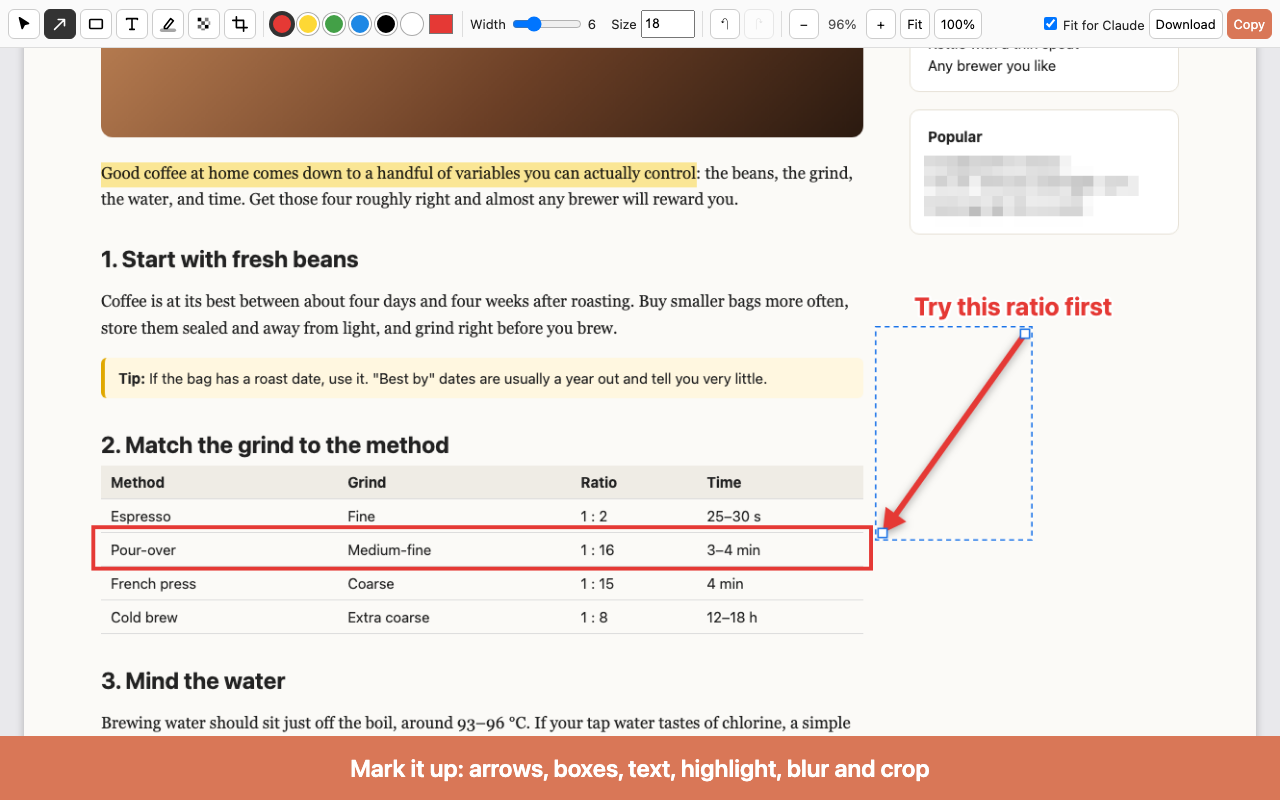
Built-in editor
Arrows, boxes, text, highlighter, pixelate to hide details, crop, and undo/redo.
Sized for AI chats
"Fit for Claude" keeps images within 8000 px per side so they're accepted when you paste.
Private by design
Everything happens on your computer. Nothing is uploaded, and there's no account or tracking.
How to use it
- Click the Full Page Clip icon in Chrome's toolbar, or press Alt+Shift+S (Option+Shift+S on Mac).
- Under Full page or Visible area, choose Copy, or Edit… to mark it up first.
- Keep the popup open while a full-page capture runs; clicking elsewhere cancels it.
- Paste with ⌘+V (Ctrl+V on Windows).
Support
Questions, bugs or ideas? Email stephen@spaikz.com.